
Put the campaign inside the grid
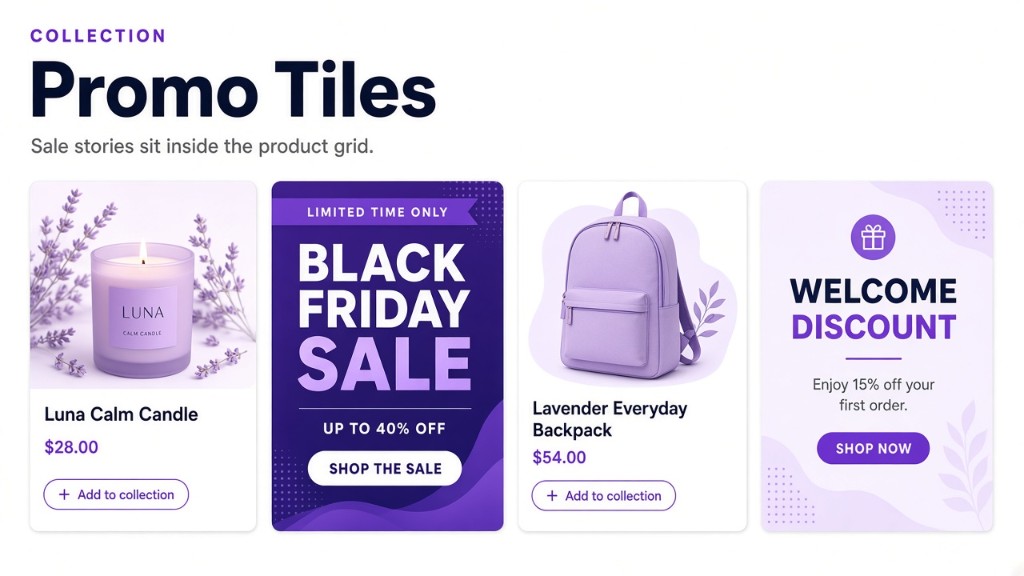
New inline banners are here. Drop a sale, story, or hero among the products so the collection can carry the message and the merchandise at the same time.
Pin a tile to a grid spot or sit it next to a product. Show a different message in each Shopify Market, on the devices and schedule you choose.
Choose the moment that matters
Place a banner at a specific position, before or after a product, or beside the first or last product that matches the moment. A launch, offer, or editorial message can appear exactly where shoppers need it.
- Lead with a full-width hero above the collection.
- Add a sale tile among the products without changing the product list.
- Anchor a message beside a specific product or merchandising group.
Make the tile fit the story
Use an image-led tile, a text-only message, or a button that takes the shopper to the next step. Choose a compact product-sized tile, a wider two-column treatment, or a full-row hero so the campaign feels native to the collection instead of interrupting it.
Target the moment, not everyone
Keep the message relevant with device targeting, Shopify Markets, and start and end dates. A mobile offer can be different from the desktop story, and a launch tile can leave the grid automatically when the moment is over.
Collection Banners adds a storefront message without taking over collection membership or replacing the ranking strategy underneath.