
The Triple Loss of Sold-Out Products on Shopify Collection Pages
When a bestseller sells out, Shopify leaves it right at the top. That is not a small merchandising miss. It is a triple loss: the sale, the traffic you paid for, and the shopper’s first impression.
Why this page matters more than it looks
Collection merchandising is how you arrange products online to guide customers and make more sales. Think of a well-run boutique: the front tables are not a filing cabinet. They hold what should sell.
Online, almost nobody walks the whole store. About 95% of shoppers never scroll past the first page of a collection. The first 10 to 20 slots—especially the first two rows—do most of the work. Every sold-out or low-margin item sitting there is occupying space you already paid to fill with traffic.
Shopify will not move it for you
Native sorting is blunt: alphabetical, by price, all-time bestsellers, or manual drag-and-drop. That last option works until the catalog grows. A store with a few hundred SKUs cannot keep up by hand.
If your top seller goes out of stock, Shopify does not automatically demote it. The product stays in prime position with a sold-out badge. Most shoppers will not even click it. They see a wall of grayed-out cards and leave. The ones who do click land on a listing they cannot buy.
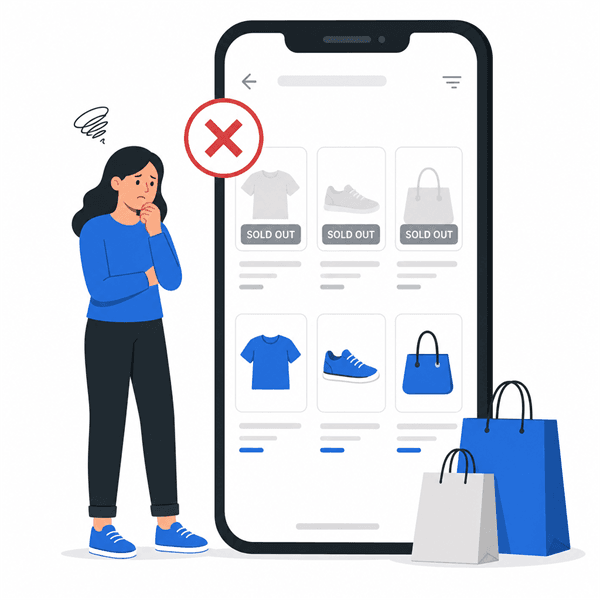
The triple loss
Julia Wawrzynek described this on eCommerce Fastlane episode 471 as a silent killer with three costs stacked on top of each other:
- You lose the sale. The shopper came ready to buy. The product they wanted—or the first product they noticed—cannot be purchased.
- You waste acquisition dollars. Ads, SEO, and email all worked. Then the landing experience spent that traffic on a dead end.
- You bruise the relationship. First impressions stick. A grid of sold-out badges says the store is stale, even if the rest of the catalog is healthy.
There is a fourth hit on the paid side. For cold traffic, the collection page often is the landing page. A top row of sold-out bestsellers can tank quality before the shopper even bounces.
Bury the dead weight automatically
Pushing sold-out items to the bottom is not a nice-to-have. It is how you make every pixel of the collection page work. Doing it by hand once a week is too slow. Inventory moves between those sessions.
Set a hard rule: out-of-stock products fall to the bottom on their own. Broken-size or unavailable variants should not occupy prime slots either. Then your top 12 positions stay reserved for products a shopper can actually buy.
SortWise can run that rule on a schedule, including hourly, so collections stay current without another round of drag-and-drop.
Hear the full conversation
This idea is one chapter from Julia’s appearance on eCommerce Fastlane. For the rest of the playbook—profit vs. popularity, revenue per view, and the 24-hour audit—listen to episode 471 or start with our episode overview .