Why Inline Banners Matter on Shopify Collection Pages
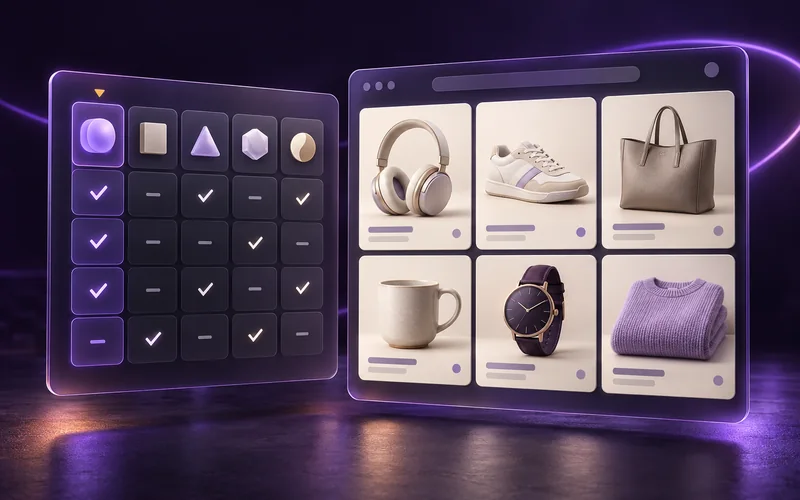
Your collection grid is not just a list of products. It is the place where shoppers decide what deserves attention next. Inline banners turn that space into a merchandising surface for promotions, stories, launches, and guidance — without taking products out of the collection.
The message is part of the merchandising
Most collection pages have a predictable shape: a title, perhaps a short description, filters, and then a long sequence of product cards. That structure is useful, but it creates a communication problem. The shopper may see the first product row and start scrolling before they ever read the collection description. A campaign announcement above the grid can be skipped. A promotional strip in the site header can disappear as soon as the shopper moves down the page. A homepage hero can introduce the season, but it is not present at the moment the shopper is comparing products.
The product grid is different. It is where attention is already concentrated. Shoppers are looking for the next product, checking price and availability, comparing images, and deciding whether to keep going. That makes the space between product cards valuable. An inline banner can use that attention to answer a question, frame a promotion, or give the shopper a reason to continue — at the exact point where the message is useful.
This is why inline banners matter: they connect the commercial message to the product discovery task instead of asking shoppers to remember a message they saw somewhere else.
Why collection-page messaging gets missed
A collection page has a narrow window to earn a shopper's attention. On desktop, the first visible row is often dominated by product photography. On mobile, the shopper may see only one card at a time and swipe quickly through several rows. The page is doing its job when it makes comparison easy, but comparison alone does not explain why these products belong together or why this moment matters.
Static page copy is also disconnected from the order of products. A headline may say “summer edit” while the first row contains a mixture of carryover stock, low-inventory items, and products that are not part of the story. A site-wide announcement may promote a sale that applies only to one market. A homepage campaign may link to a collection but stop guiding the shopper once the collection loads.
These are not failures of copywriting. They are placement problems. The message exists, but it is too far from the decision it is meant to influence. Inline banners solve that by making the grid itself carry both the merchandise and the context around it.
An inline banner earns its position
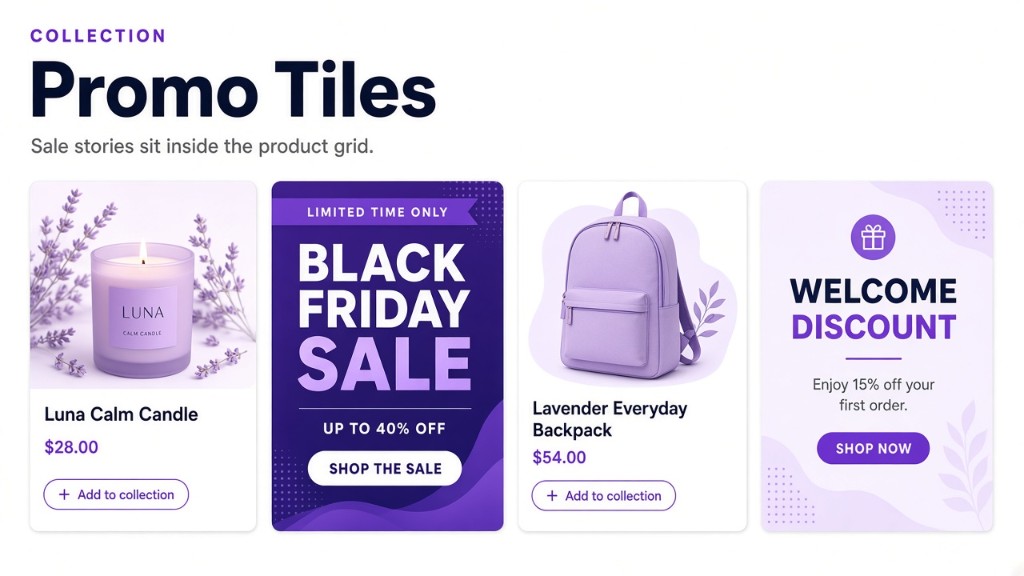
A banner outside the grid usually has one location: above the products, below the title, or somewhere in the theme layout. An inline banner can earn a more precise position. It can lead the collection as a full-width hero, interrupt a long run of cards with a campaign tile, or sit beside the product that makes the message relevant.
That distinction matters because shoppers do not experience a collection as a blank canvas. They experience it as a sequence. The first few products establish the category. The next group may represent a different use case, price point, or product family. A banner placed between those groups can explain the transition. It can say “complete the look,” introduce a new color story, or point to a limited offer without forcing the shopper to leave the page.
The position becomes part of the strategy. A launch message belongs near the launch products. A sale message can appear among the products it supports. A category education tile can come before a group that needs more context. The banner is not decoration added after merchandising; it is a decision about how the shopper should move through the grid.
Give each campaign the right placement
Collection Banners gives you several ways to decide where a tile belongs. The right choice depends on whether the message is tied to the page, a product, or a changing group of products.
- Use a grid position when the message belongs in a consistent visual slot, such as the first row of a seasonal collection or the fifth card in a gift guide.
- Place it before or after a product when the product is the anchor. A care guide, matching accessory message, or product story can appear beside the item that gives it meaning.
- Match the first or last relevant product when the group can move. A tile can sit around products that are on sale, from a vendor, in a product type, tagged for a campaign, or part of a sorting group.
A numbered position is useful for a stable editorial layout. A product or attribute anchor is useful when the collection changes and the message should follow what it describes. Those are different merchandising jobs, so treating them as interchangeable makes campaigns harder to maintain. Choose the rule that expresses the intent instead of manually moving the same tile every time the catalog changes.
Make the size carry the hierarchy
Not every message deserves a hero. A full-width banner is powerful when the campaign should reset the shopper's attention: a seasonal launch, a major sale, or a collection-wide story. It can sit above the products and establish the reason to browse before the shopper reaches the first card.
A product-sized 1:1 tile is quieter. It behaves like another choice in the grid, which makes it useful for a small promotion, a styling tip, a shipping message, or a short piece of category education. A 2:1 tile can span two columns when the creative needs room to breathe. A 2:2 tile can take over a larger visual block without turning the entire collection into a landing page.
The size should match the importance of the message and the amount of copy it contains. If every announcement is a hero, the shopper learns to ignore the interruption. If an important launch is reduced to a tiny tile, it becomes easy to miss. Treat the grid span as a hierarchy decision, not just a design setting.
Use more than a promotional strip
“Banner” can sound like a synonym for discount. Inline banners are more useful when they carry the full range of reasons a shopper might need context. The tile can be an image-led campaign, a text-only message, or a clickable panel with a call to action. It can support a sale, but it can also make a catalog easier to understand.
- Promotion: explain the offer where the eligible products appear, rather than relying on a site-wide announcement.
- Seasonal story: introduce the material, color, or point of view that connects a group of products.
- Launch moment: give new products a clear entrance in an established collection.
- Category education: explain the difference between product types, fit, use cases, or care requirements.
- Editorial guidance: show shoppers how to combine products or where to go next.
This broader role is important for brands with a large or unfamiliar catalog. The banner does not have to shout “buy now.” It can reduce uncertainty, add meaning to a product group, or make a collection feel curated instead of algorithmically assembled.
Personalize the message without duplicating the page
A global collection page is often used by several audiences. The same collection may serve different Shopify Markets, devices, and campaign windows. A single piece of copy cannot always do all of those jobs well.
Market targeting lets a team show the offer that is actually relevant to a shopper's market. That might mean different seasonal language, a different promotion, or a message about local delivery. The underlying collection can stay intact while the communication reflects the market.
Device targeting matters for the same reason. Desktop has space for a wider visual treatment; mobile needs a tile that reads quickly in a narrow column. Collection Banners can use different desktop and mobile media and layouts, so the mobile experience does not have to be a shrunken desktop creative.
These controls are not personalization for its own sake. They keep the message from becoming generic. Relevance is a conversion asset: the fewer mental translations a shopper has to make, the easier it is to continue browsing.
Schedule the message, then let it leave
Merchandising teams lose time when a campaign has to be manually turned on and manually removed. The launch date arrives after hours of preparation, but the end date arrives when the person who owns the collection is in another meeting. A stale banner can be worse than no banner: it tells shoppers that the storefront is not current.
Scheduling makes the banner behave like the campaign. Set a start and end window for a product launch, flash sale, seasonal story, or shipping deadline. When the moment ends, the tile leaves the grid and the products underneath remain available. The team can plan the message in advance instead of treating every collection update as a small emergency.
Scheduling is especially useful when combined with placement. A hero can establish the launch on day one; an inline reminder can sit beside the relevant products during the campaign; both can disappear without a post-campaign cleanup pass.
Keep the product strategy underneath
An inline banner should add context, not destroy the work of merchandising the collection. Collection Banners occupy visual grid cells; they do not change which products belong to the collection. That separation is valuable. Shopify collection membership can continue to define the catalog while SortWise keeps the product order focused on inventory, performance, grouping, balancing, or the strategy that matters to the team.
This also means a banner is not a replacement for sorting. If sold-out products are leading the page, a promotion tile will not fix the dead ends. If a collection has ten nearly identical products in a row, a story tile may add variety, but balancing or grouping may still be the right underlying change. Good inline messaging and good product order solve different parts of the shopping problem.
The strongest collection pages use both layers: an order that makes the next product worth seeing, and a message that explains why the next group is worth exploring.
Four practical ways to use inline banners
The following patterns are simple enough to launch quickly and flexible enough to support a larger merchandising system.
1. Put a launch in the first screen. Create a full-width hero at the beginning of a collection when newness is the reason the shopper is there. Use the product order below it to keep the most relevant launch products visible, and let the hero explain the idea before the comparison begins.
2. Break up a long collection with a story. Place an image or text tile among the products after the first group. Use it to introduce a material, color family, or use case. The shopper gets a clear transition instead of an endless wall of similar cards.
3. Put the offer beside the products it affects. Anchor a sale message to the first or last matching product, or choose a stable grid position for a collection-wide offer. This keeps the promotion in the browsing flow instead of making the shopper hunt for the products named in the announcement.
4. Give a specialist category an explanation. A text-only tile can explain sizing, care, compatibility, or a product difference. It does not need elaborate photography to be useful. Sometimes the highest-value message is the one that removes hesitation before the shopper clicks.
Inline banners make the grid feel intentional
Shoppers can tell when a collection is only a database view. The products may be attractive, but the sequence feels random and the page gives no reason to understand one group before moving to the next. Inline banners add a visible point of view. They make room for the brand's voice without forcing the shopper through a separate editorial page.
That does not mean every grid should become a magazine spread. Product discovery still needs speed, consistency, and clear interaction. The point is to use a small number of deliberate messages where they do real work. A product grid with one useful transition can feel more considered than a grid full of decorative graphics.
The best banner is often the one that makes the next click obvious: continue into the new collection, understand the promotion, compare the next product family, or see how the current product fits the story.
Measure attention, not just impressions
A banner should have a job. If it is a promotion, the job may be to move shoppers into the eligible products. If it is education, the job may be to reduce uncertainty and improve product engagement. If it is a launch story, the job may be to make new products visible before the historical bestsellers take over.
Collection Banners emits view and click events for linked tiles, including the collection, banner, placement, device, page, and grid position. That gives a team a better question than “did someone see the banner?”: did the message earn attention in the position where it was placed, and did shoppers continue from it?
Compare banners by their purpose and context. A mobile tile should not be judged against a desktop hero as if they had the same job. A launch banner at position one should not be compared with an educational tile shown after twenty products. The useful unit is message, placement, audience, and outcome together.
A practical setup sequence
Start with one collection and one message. The goal is not to fill every available grid cell; it is to learn where an inline message helps the shopping journey.
- Identify the decision the shopper needs help making: discover, compare, understand, or act.
- Choose whether the message belongs at a stable position, beside a product, or around a changing product group.
- Match the tile size and amount of copy to the importance of the message.
- Create a mobile treatment that can be understood in a narrow card, not just a desktop creative scaled down.
- Add the market and schedule rules that keep the message relevant.
- Review the live collection on desktop and mobile, then watch views and clicks before adding another banner.
Collection Banners supports up to fifteen banners per collection, but a limit is not a target. Start with the smallest set that makes the collection easier to shop. Add another tile only when it has a distinct job and a clear place in the sequence.
What to check before publishing
Collection Banners is designed for Shopify's original collection grids, including Online Store 2.0 themes such as Dawn and Horizon. The SortWise App Embed must be enabled so the storefront can place the tiles in the product grid. If a search or filter app replaces the theme's collection grid, that integration may need a compatibility review before banners can appear reliably.
Also check the basics that make any campaign credible: the image still reads on mobile, the link goes to the intended destination, the offer is available in the selected market, and the schedule matches the campaign calendar. A precisely placed message is only valuable when it is accurate when the shopper sees it.
Collection Banners is available on the Premium and Enterprise plans. Once the feature is ready, the workflow stays close to the collection: open the collection, add the banner, choose its placement, configure media and text, set visibility, and save. You do not need to rebuild the collection or create a separate landing page for every message.
The collection grid is valuable space
Every product card competes for attention, but the grid is not valuable only because it shows products. It is valuable because it is where the shopper is already making progress. A banner placed there can turn a sequence of cards into a guided journey: here is what changed, here is why this group matters, here is the offer, and here is the next step.
Inline banners give merchandising teams a way to use that space without giving up product discovery. The collection remains a collection. The ranking strategy remains underneath. The campaign simply appears where the shopper can use it.
If your collection pages are carrying important stories in a header, homepage, or description but losing those stories once shoppers reach the products, it is time to put the message inside the grid.
Try Collection Banners with SortWise
Explore Collection Banners to see how image and text tiles fit into a Shopify product grid. When you are ready to put the idea on a live collection, install SortWise Collection Sort and start with one campaign, one collection, and one clear shopper decision.
Keep reading
All articles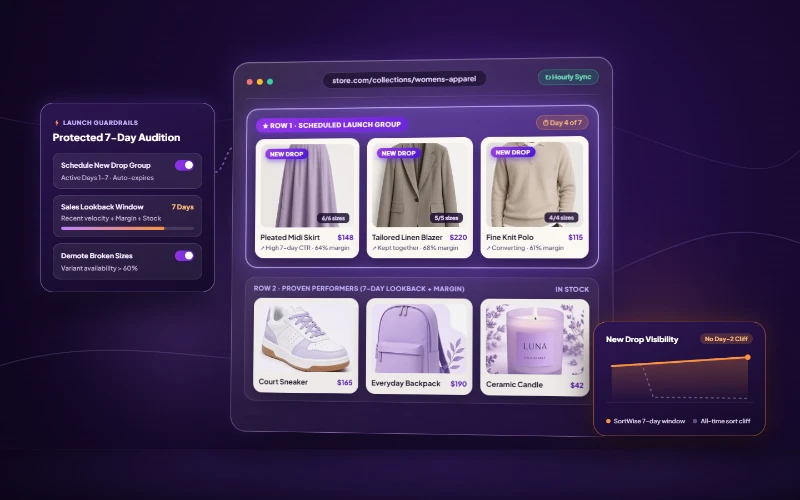
Why New Arrivals Get Buried After 24 Hours on Shopify
Shopify’s bestseller sort rewards lifetime volume, so new drops vanish after launch day. Give fresh products a scheduled window and a 7-day lookback. Read article
Why the Top 3 Rows of a Shopify Collection Make the Sale
Learn how product position, availability, demand, profit, and testing work together to build better Shopify collection pages. Read article